Mithrall: Why We Started Again, and What Comes Next
Our biggest devlog yet: the game before the rebuild, provisional city blockouts, and the systems behind Mithrall's weapons, maps, skies and persistent worlds. See the work, then join us in shaping what comes next.
Up to now, we have shown you concepts, pieces of the world, and the decisions behind them. Seven peoples. An arsenal. A new camera. The shape of an MMO we want to spend years building.
Today, we are going further into the work.
There is a game before the rebuild that many of you have barely seen. There are cities taking shape inside the engine. There are systems that make a projectile fly, draw a map, change the weather, assemble a character, protect a save and tell us what broke. Each of them deserves more than a name in a progress report.
So this is our biggest devlog yet. Bring a coffee. All ten films are part of the story, and there is a lot to show.
We want Mithrall to become one of the great MMOs of the next decade. A world with its own identity, worth learning, worth fighting for, and worth returning to. We are trying to build something that feels unlike anything we have played before. That ambition is why we made a difficult decision: we already had a game we could, in theory, have released. We chose to rebuild it from the ground up.
Want to help shape what comes next? Join the Mithrall playtest platform. We are looking for players who want to explore deeply, share honest feedback and stay involved. Internal and closed tests will come before a public opening; we explain that invitation at the end of this devlog.
Here is what that decision looks like in practice.
Before the rebuild, there was already Mithrall
It is easy for a year of talking about foundations to erase what came before them.
The earlier Mithrall was real. People played it. We had built a world you could move through, gather from, dig into and start making your own. There were creatures in the forests, equipment to work towards, and places where taking a sword underground was a decision with consequences.
We went back into the April 2024 recordings to show that version properly.
Earlier version of Mithrall, recorded in April 2024. This archive film shows the game before the rebuild.
Look at the ordinary actions as well as the fights. An axe meets a tree. A pickaxe works an ore deposit. A shovel changes the ground. Building pieces appear against an existing wall. Those are small moments on their own, but together they begin to make the loop of a survival game: go out, bring something back, improve your position, and set off again.
Then there is the less peaceful part. Armed creatures on the forest roads. The old progression interface. Stone corridors opening into rooms full of green magic and incoming attacks. Portals between spaces. A shield in front of you that suddenly feels rather small.
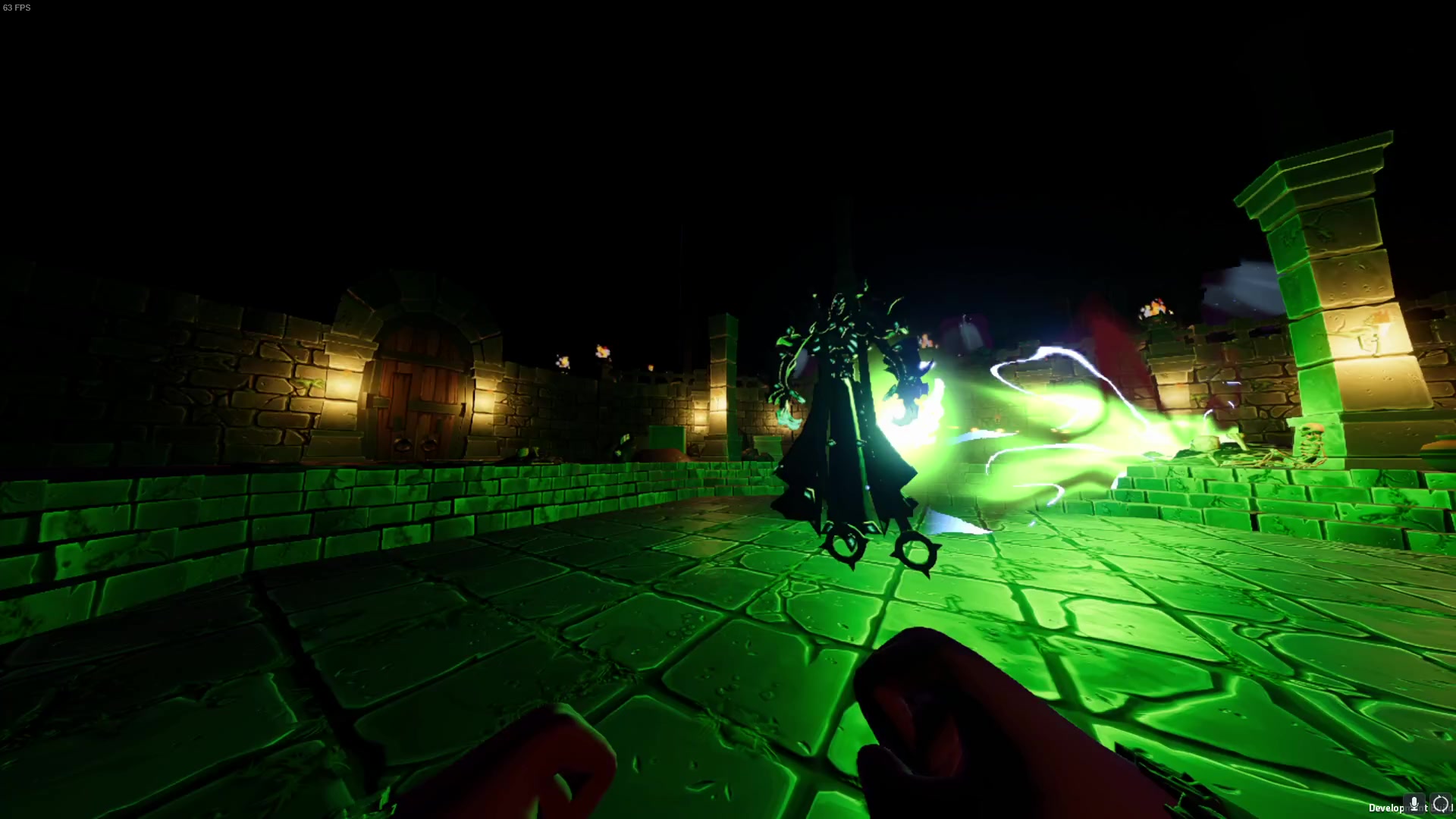
An encounter from the old build. The first-person view belongs to that earlier version.
We are showing this because starting again only means something when you understand what we were prepared to leave behind. We were not choosing between a blank page and a game. We were choosing what kind of game we could stand behind, and what kind of studio could keep improving it after release.
As we explained in our stance on AI, we had reached the point where releasing Mithrall was theoretically possible. But possible is a low bar for something you intend to ask people to give years of their lives to.
You deserve our best effort. That includes the difficult work of questioning a version we had already put so much into.
The old work still matters. It taught us what it takes to make these systems meet in a playable world. We carry that experience into the rebuild. We are raising the standard of what we build on top of it.
Starting again means building for the next thing
One of the clearest changes is already public: Mithrall is going third person. Concentrating on that perspective changes the controller, animation, equipment presentation and the way you read another dwarf in a fight. It gives the team a clear target instead of splitting the experience between competing viewpoints.
But a camera decision is only one part of rebuilding an MMO.
Imagine adding a weapon. It needs an appearance, movement, effects, behaviour, values that can be adjusted, and a way to test whether it does what we intended. It has to live alongside the other weapons. The next one should benefit from what the first one taught us.
Now apply that to a region, a building set, a map, a weather effect or a persistent object. Then imagine doing it again after launch, while players are already living in the world.
That is the problem we have been working on. The tools in this article give us ways to create, inspect and extend the game repeatedly. AI helps us move through that work much faster. Our engineers, designers and artists still make the decisions about what is worth keeping.
There is a practical reason several films use dedicated sample scenes. A clear test lets us isolate a behaviour, push it, and understand the result. The footage is labelled so you can see when you are looking at Mithrall, a blockout, a tool demonstration or concept art. With that established, let's get into the things we have built.
Gatling: weapons worth learning
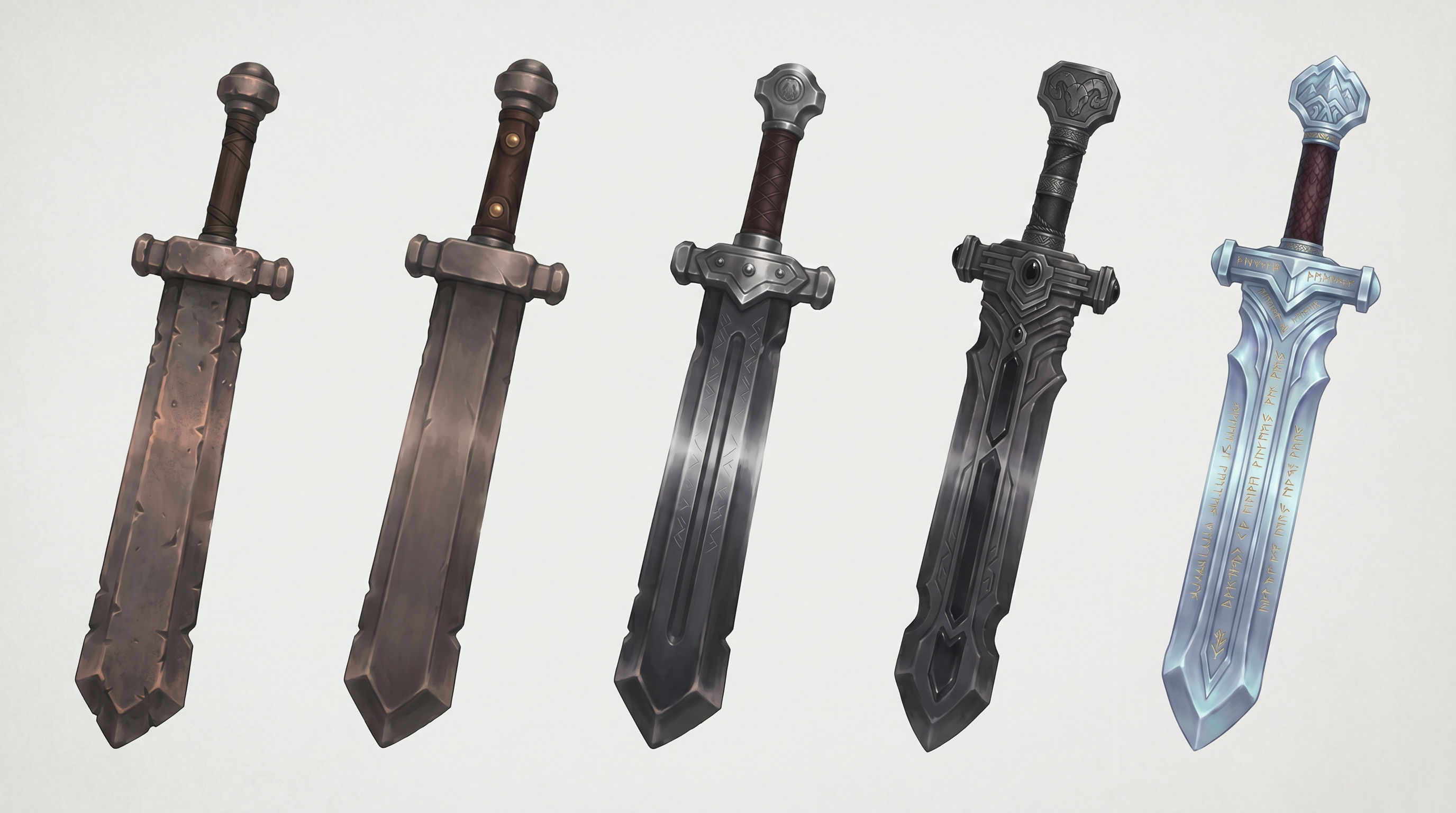
Last time, we showed the direction of the arsenal. Bows and crossbows. Steel and magic. Engineered weapons. Designs with very different silhouettes and very different jobs.
Now watch what happens after a projectile leaves the weapon.
Gatling, our ballistics tool. The film includes sample scenes and a user's project, identified on screen.
The idea is straightforward: a good shot should give you something to understand. Distance, trajectory, ammunition and the conditions before you fire should matter. If the shot misses, we want you to be able to learn from it.
Gatling gives us a shared way to build that behaviour without making every projectile identical. A heavier arrowhead changes drop and reach. A bolt and a siege stone have different properties. Those differences can be tested through the same tool, instead of becoming separate pieces of code that drift away from each other.
The distance demonstrations are a good example. The film shows how zeroing sets the range at which the aiming point and impact meet. Beyond that range, the projectile continues to fall. That turns distance into a skill you can practise. The point of learning a weapon is that the next shot can be better because of what the last one taught you.
Wind adds another layer. In the comparison, the crosswind acts on the projectile's path. We want weather to be a condition you read during a fight, with understandable effects for both sides. It gives us something concrete to tune and test as we build toward that combat.
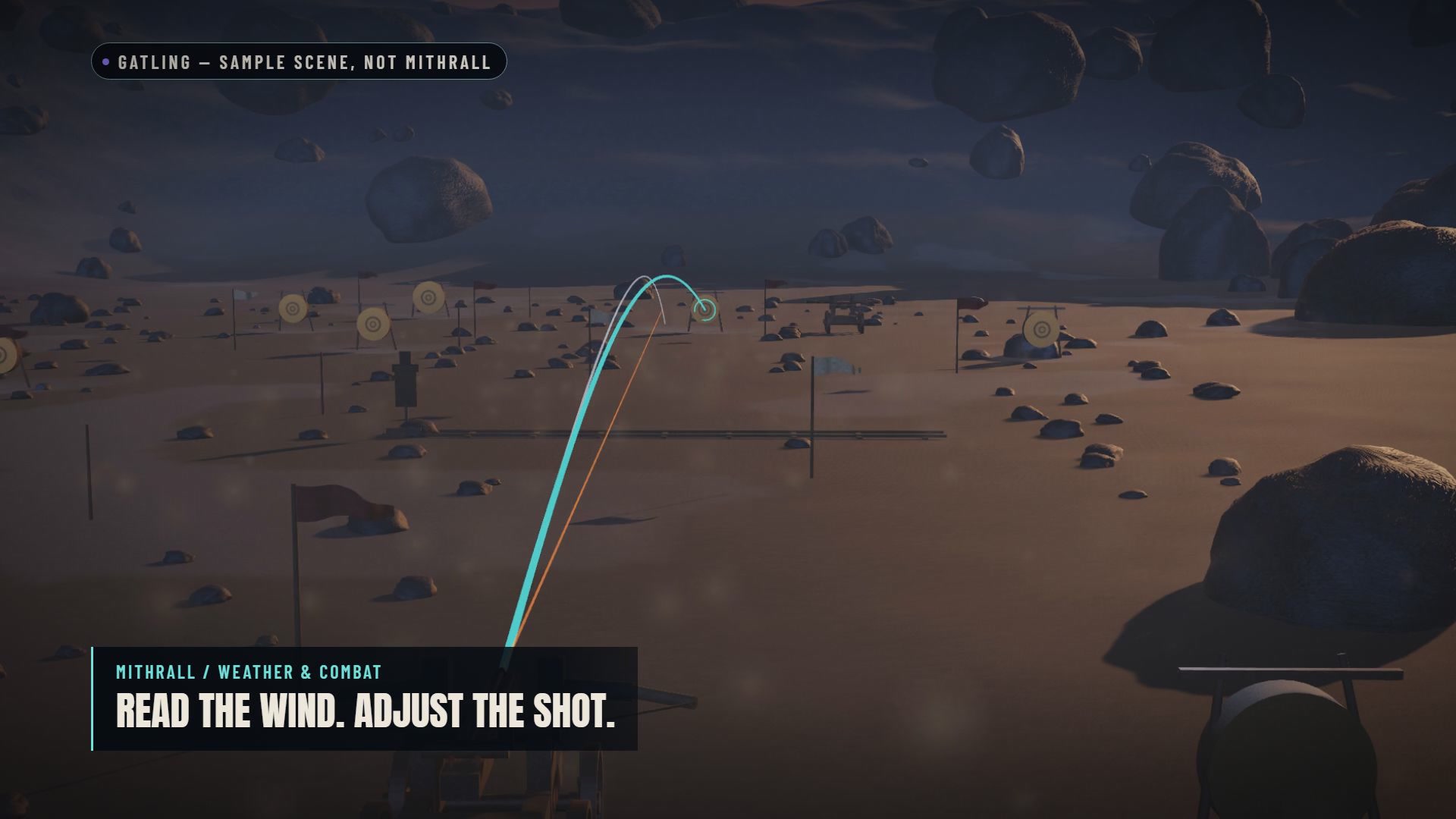
The ballistics tests make changes in trajectory visible, so the team can inspect the behaviour.
Contact is also more interesting than a projectile disappearing. Gatling handles penetration, with a projectile passing through material and losing speed; ricochets at grazing impacts; and bounces after contact. That lets us test cover and impact behaviour as part of a weapon's character.
Siege weapons make flight time especially visible. A bolt crossing an open space and a stone descending toward a position create different problems for the crew and the defenders. We want those threats to be readable. The tool gives us the means to work on that.
There is a stress test in the film too: around 10,800 simulated projectiles at 60 frames per second in the recorded reference run. That is a result for the projectile simulation, with its own test conditions and hardware. It shows the headroom we are investigating; it is not a frame-rate promise for a finished Mithrall battle.
The payoff is much bigger than a large number. We can build a family of weapons whose differences go further than appearance and damage. The concept sheets are the direction. This is part of the machinery that can turn them into weapons worth learning.
RealmForge: the world that feeds the rest
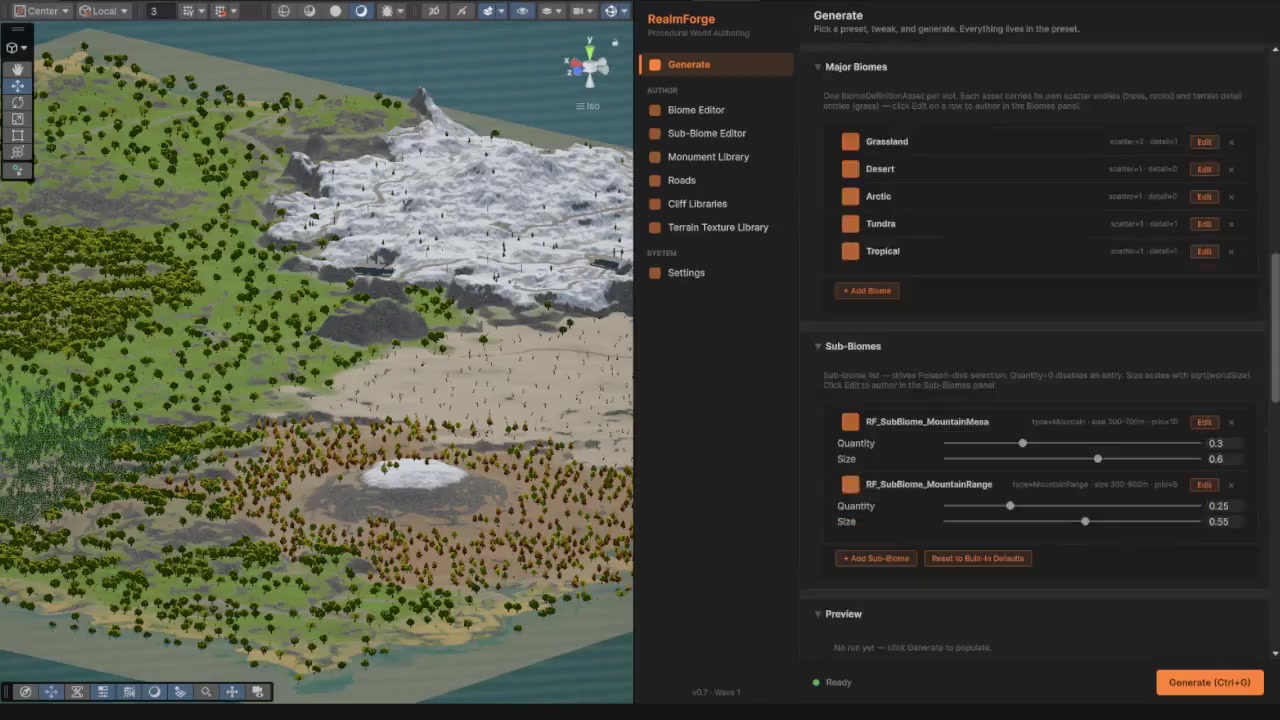
We already took a longer look at RealmForge, the tool behind our world generation. Its role is worth bringing back here, because the next systems begin where its work leaves off.
A generated region needs more than terrain. It needs a way to become understandable to a player. It needs a visual identity. The places we build by hand need to belong alongside the places our tools generate.
The old choice between carefully authored worlds and procedural scale is not useful to us as a rule for everything. We want to put human attention where it changes the experience, and use our tools to carry that work further.
RealmForge provides the world-generation side of that effort. Cartograph draws the map of a world. MapGUI Pro puts that map and the information around it in front of the player. BeautifulSky lets us work on the conditions through which you see it.
They are separate jobs, connected by the same ambition: make a world we can keep creating for, with the control to give its places character.
Cartograph: nobody paints this by hand
When you open a map, somebody had to make the picture on it. Coastlines. Roads. Little clusters of trees. The marks that turn a landscape into something you can read at a glance.
A hand-painted map can be beautiful. Keeping that picture aligned with a changing or generated world is a different job entirely.
We built Cartograph to draw from the world itself.
Cartograph generates map textures and gives the team control over their presentation.
The film starts with the map as an image. The tool takes the world, runs a generator, and produces a texture. The artist still chooses how that result should look. Parchment, topographic, satellite, flat and stylised presentations are among the directions shown in the editor.
That distinction is central to how we work. Automating the production of an image does not mean surrendering the art direction. It means we can make a style decision repeatable, then use the result across more than one carefully prepared example.
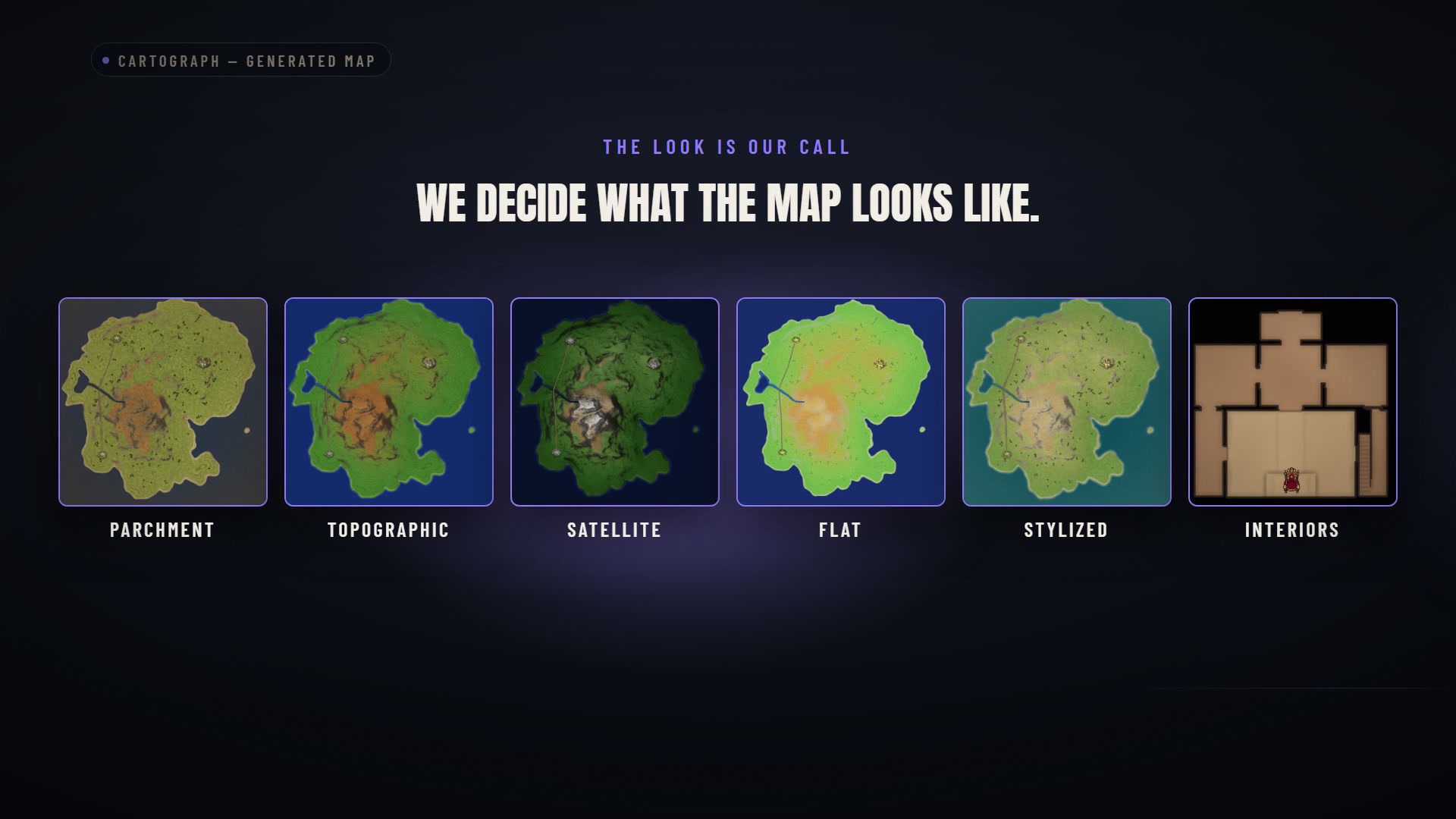
The map's appearance remains something we choose and refine.
There is a second important detail in the film: two of the four generators work inside a running build. Terrain and scanline generation can run there; the capture and interior generators are editor workflows. That gives us a route to maps for regions that do not exist as a fixed, hand-painted location before the game starts.
Cartograph also finds configured world objects and turns them into map decoration. Trees, rocks and settlements can be grouped and baked into the image, rather than making every object an unreadable mark. At that scale, deciding what to simplify is part of making the map useful.
The film also demonstrates closer maps for individual places. A fortress or dungeon can have a map at its own scale, with the presentation changing as the player enters that space. You do not want a regional overview to be your only guide inside a much smaller environment.
For Mithrall, the value is that a new region does not have to wait for somebody to manually repaint the whole map. RealmForge builds the region. Cartograph draws it. The team can spend more attention on what makes the place interesting, and on whether the result is clear enough to play with.
MapGUI Pro: three displays, one world
Now take that map texture and put it on a screen.
There is the minimap in the corner. There is the compass. There is the full map you open to work out the next leg of a journey. All three are describing the same world. They need to agree.
That sounds obvious until a marker appears in one view and never reaches another.
MapGUI Pro's sample scene demonstrates the navigation interface and its shared marker data.
Our answer is one set of information with three views of it. Place a marker on the world map and the minimap and compass can show that same point. The system does not need three separately maintained versions of where it is.
For a player, that means the act of marking something can stay simple. You should be thinking about where you want to go, rather than wondering which part of the interface remembers your decision.
We also chose to draw map textures directly into the interface instead of using a second camera to render the world again for the minimap. A little square in the corner should not quietly demand another view of the entire scene every frame.
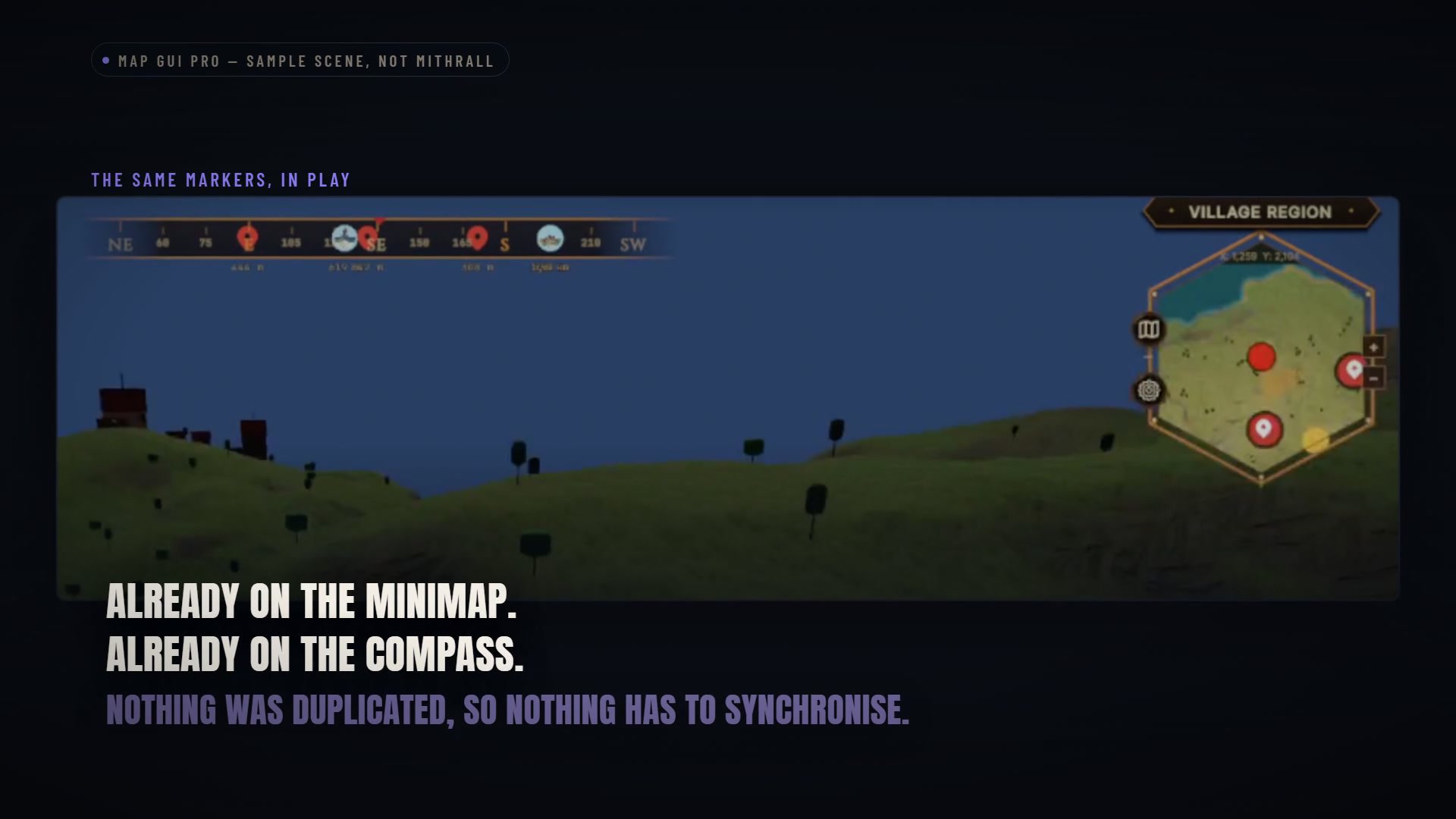
One marker can feed the map, minimap and compass.
The demonstration goes beyond fixed locations. Moving entities can be represented through the same navigation layer. The examples illustrate the capability; the important part is that a moving point is still one point the views can agree on.
Discovery has its own role. Our direction for Mithrall is that you know where you are, while exploration reveals what is around you. Knowledge of a place is the reward: the camp, ruin or dungeon you have come close enough to discover. The system has to represent both known and unknown information cleanly.
Finally, the presentation is adjustable. The film shows vector-based interface styling and colour palettes, so the navigation can take on Mithrall's identity instead of inheriting the sample scene's look. Cartograph supplies a map texture; this layer reads it and adds the information the player needs.
That is a useful piece of the rebuild: tools that let the world change without forcing the interface to be rebuilt around a single, permanent picture.
Capitals: the bones are taking shape
A capital should give you a feeling before you have opened a menu or spoken to anyone.
The first view down a hall. A bridge that suddenly exposes the depth below it. A narrow street opening onto a plaza large enough to stop you for a moment. Those are level-design decisions, and they start long before the final surface detail.
Our level designer has been building those spaces. Here are three city studies in the engine.
Forest City, Desert City and Darkstone City blockout studies. Level design by AnkleBreaker Studio's level designer. These working labels identify the studies shown.
These are blockouts: no design shown is final. Layouts, structures, materials and lighting are all provisional. These captures show stages along the way and may not match the exact state of the work today. We are sharing that work progressively.
The blockout stage explores layout, scale and the relationship between spaces. It gives us something to move through and judge. A promising drawing has to become a place that still works when you turn a corner.
The Forest City study is built around a vast circular volume. Look at the ceiling, the tall vertical forms and the way the streets and terraces lead toward the central plaza. From above, the layout has a clear centre. Down at street level, the surrounding height gives the same place a different weight.
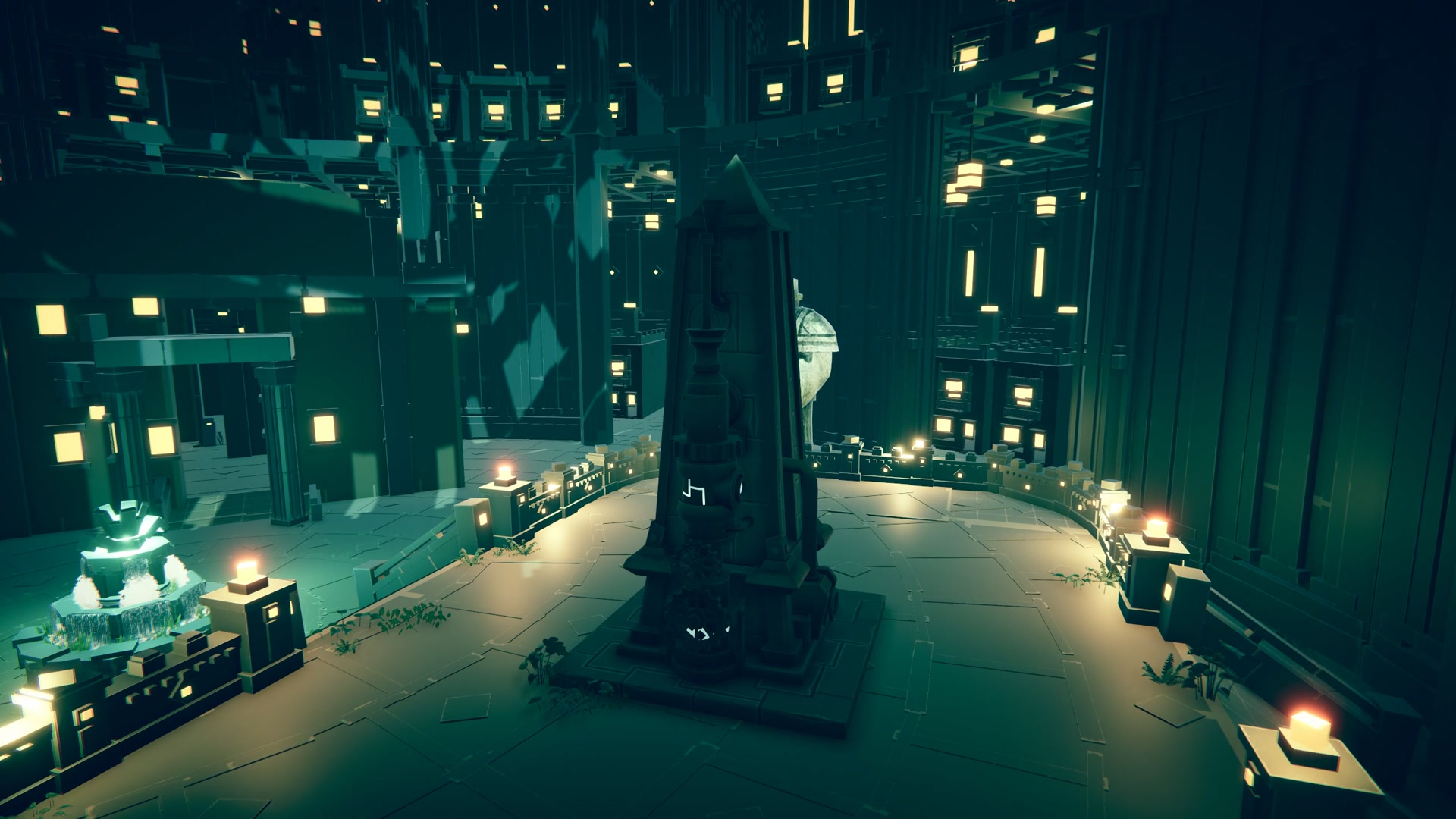
Forest City study: a central space, seen from inside the layout. Blockout, not final environment art.
The Desert City study changes the rhythm. Broad passages and long galleries extend beneath a great dome. Repeating openings help you read the streets, while larger forms give the eye a destination. The overhead views show the arrangement; the ground-level passes show what it feels like to travel through it.
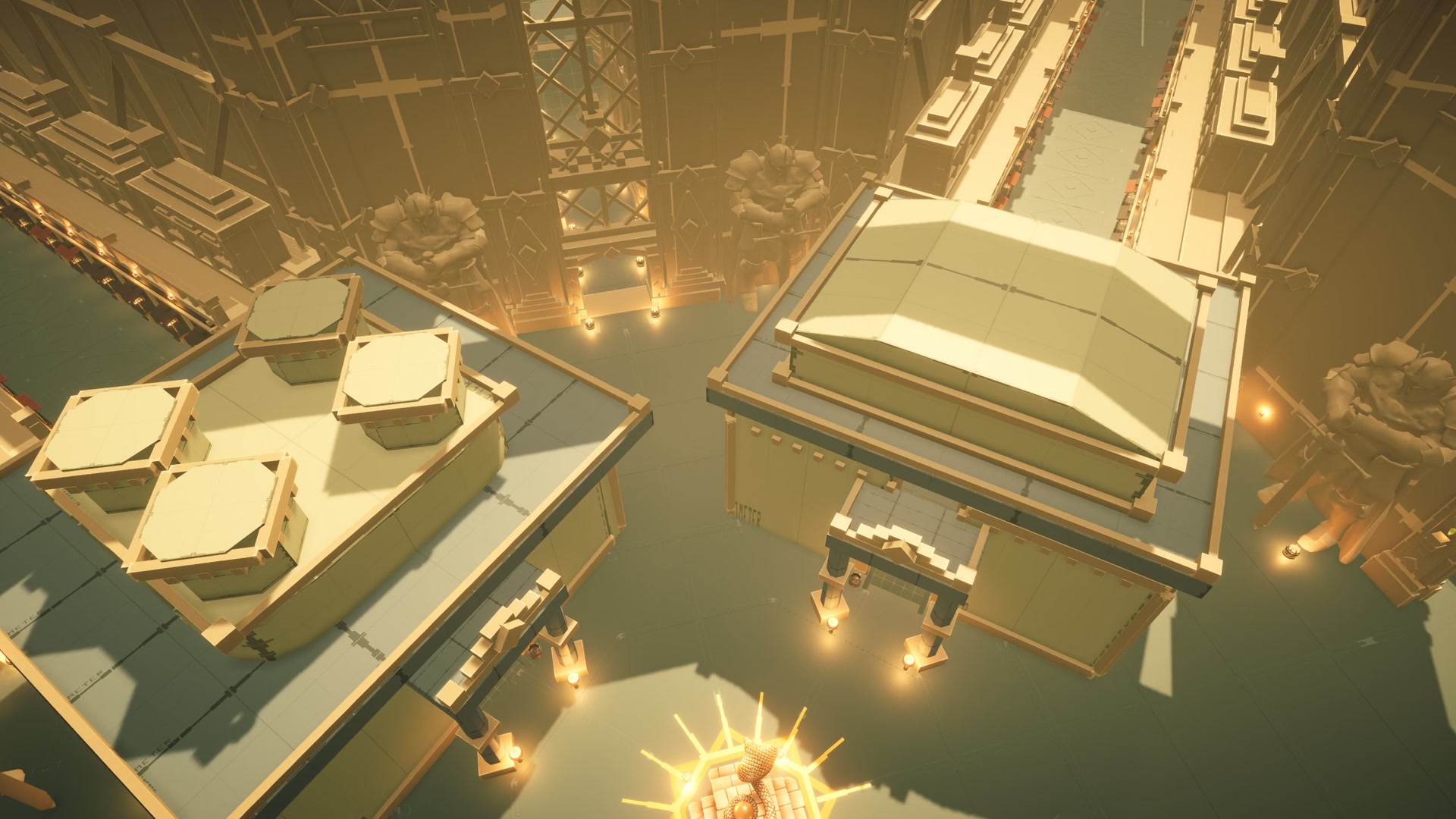
Desert City study: the relationship between a monumental roof and the streets beneath it.
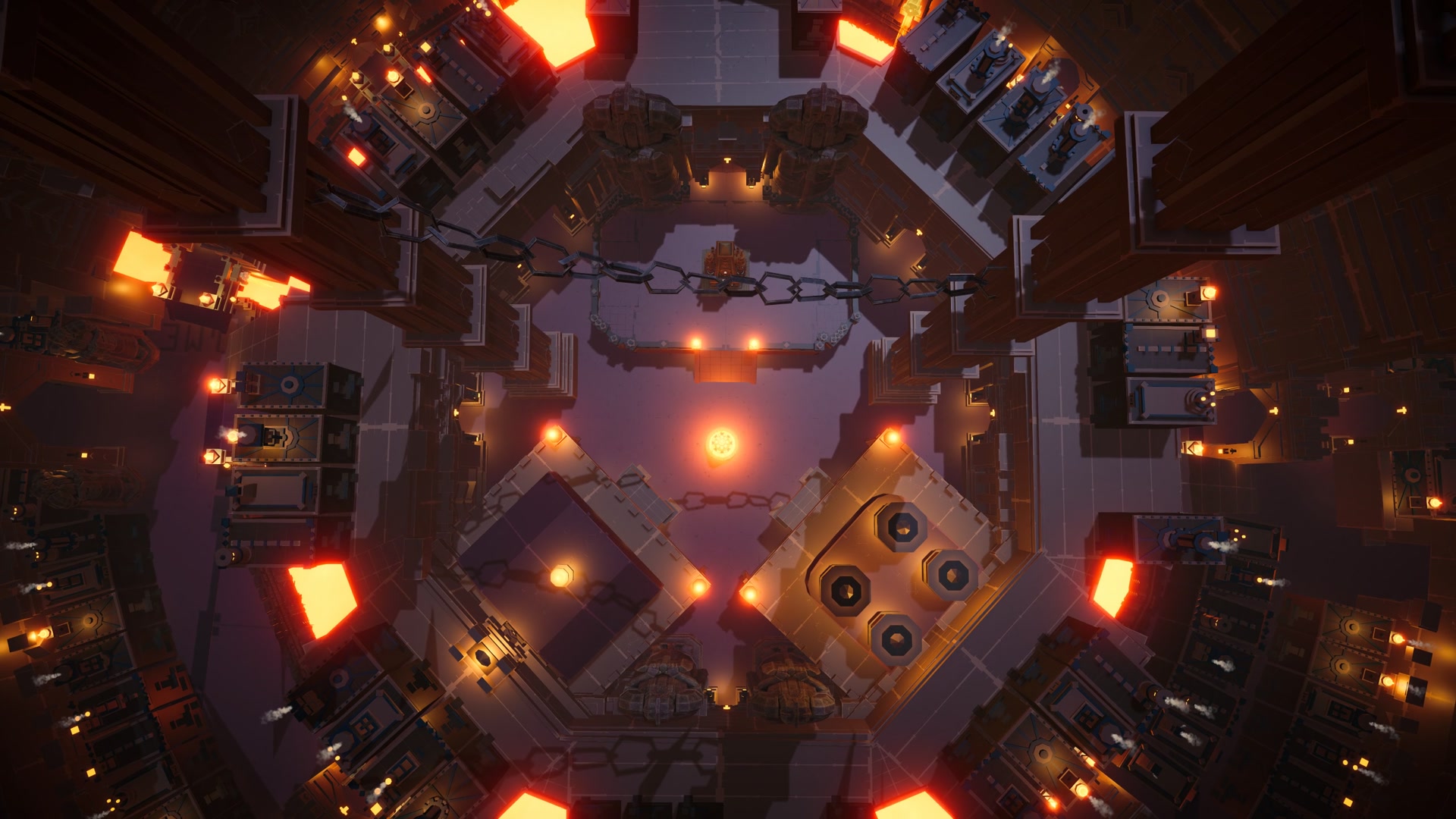
Darkstone pushes the vertical dimension further. Bridges cross the glow of lava. Districts and platforms climb around a deep shaft. You can look across a space, down into it and up through layers of architecture. That is a very different first impression from a long, level gallery.
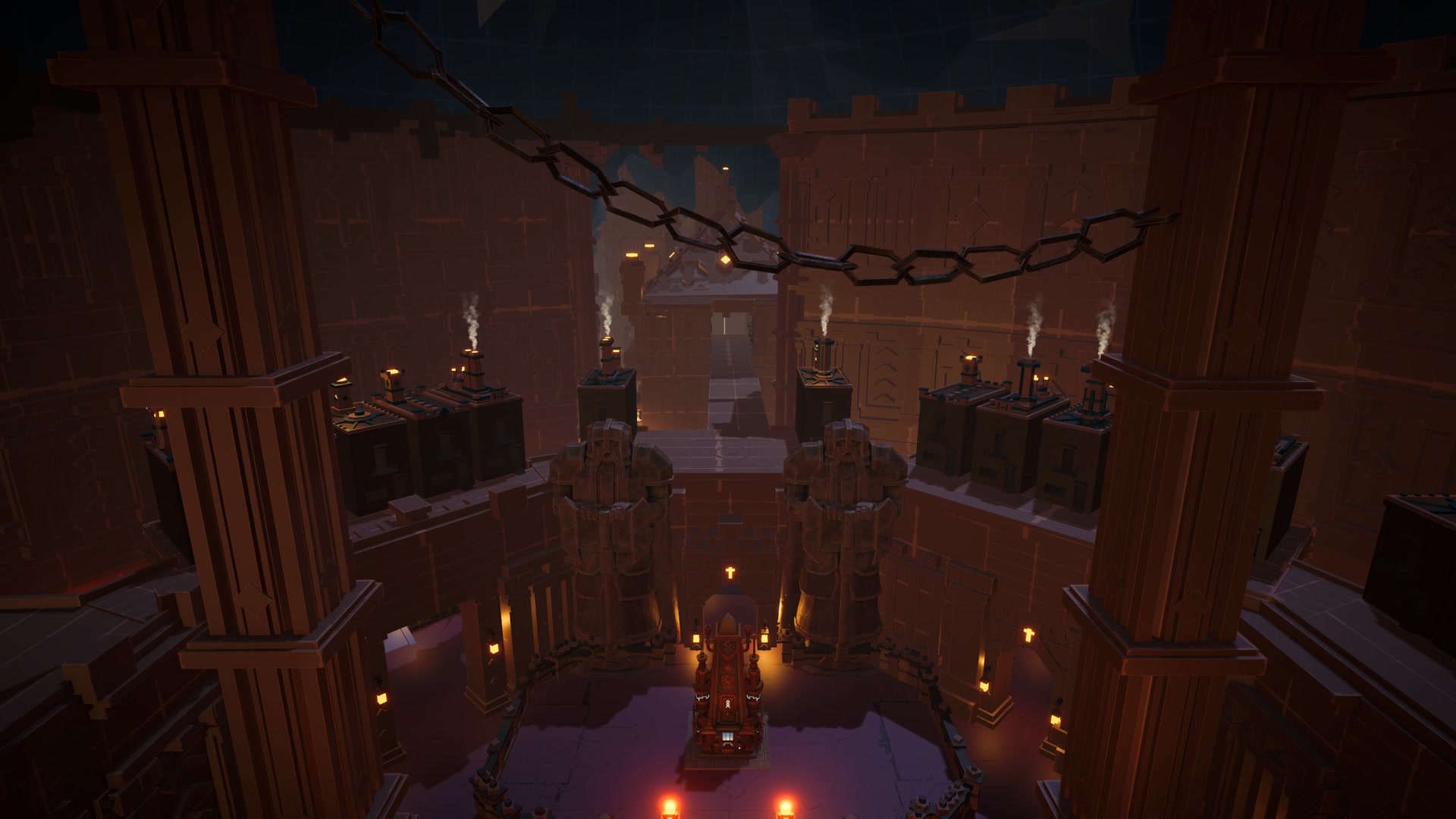
Darkstone City study: depth and height are part of the composition.
These are real spaces we can move through, question and change. Even the bones can move at this stage. A route that looks convincing from above may need a different width once you walk it; a grand hall may need a different relationship to the street. That freedom to revise is exactly why we block things out.
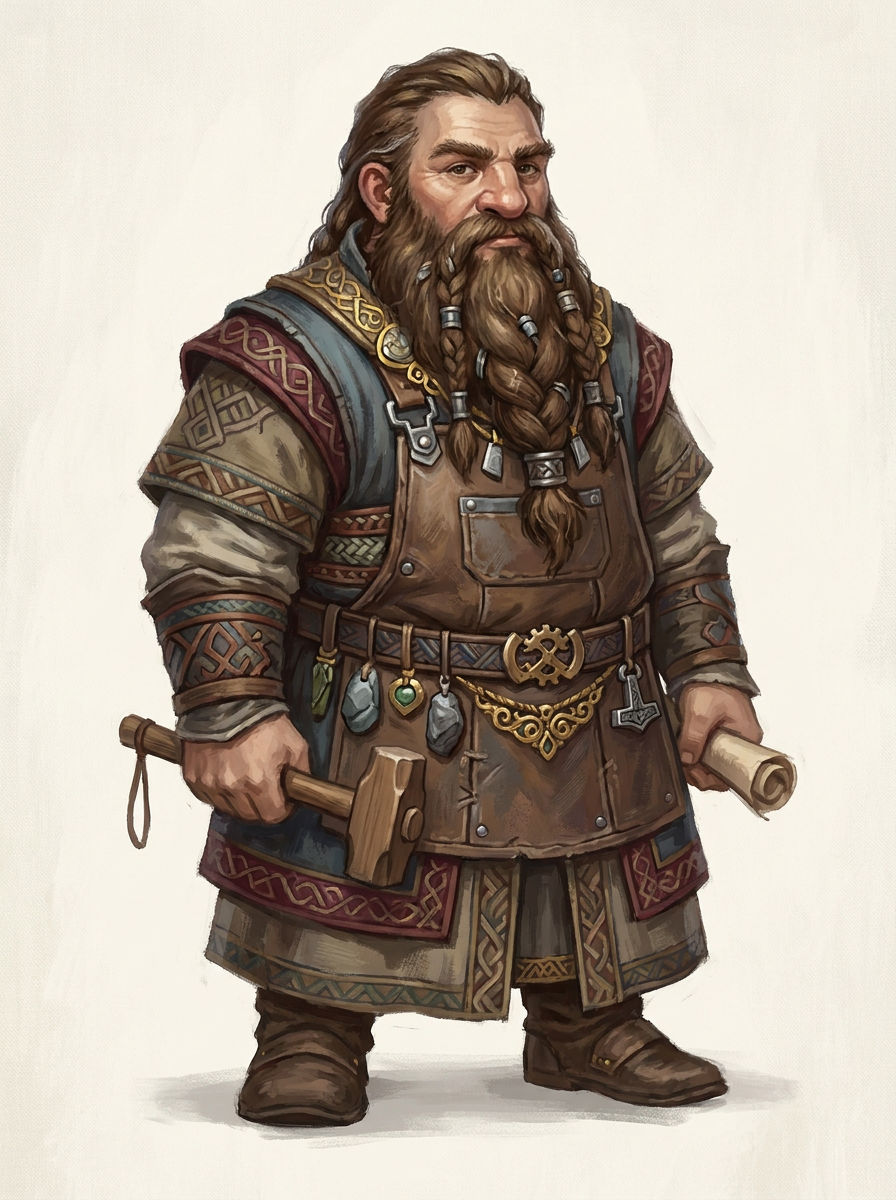
After introducing the seven peoples, it is exciting to start showing spaces with their own presence. We want their homes to feel distinct in the way you inhabit them, as well as in the art that will define them.
The ambition is to build immense, majestic capitals. Places with enough presence that walking into one feels like an event, and enough character that you want to learn what lies beyond the first impressive view. We cannot wait to show you more as they evolve, and to let you discover these spaces in future playtests.
For now, you are seeing the questions take physical form. We will keep sharing what grows from them.
BeautifulSky: the same place, a different sky
Sometimes you return to a place and the mountains have not changed. The sky has.
Light catches a ridge from a new angle. Distant trees disappear into fog. Rain changes the whole mood of the journey. You recognise the landscape, but you read it differently.
BeautifulSky is the tool we are building for that work on Mithrall's skies, light and weather.
BeautifulSky, demonstrated in a sample landscape used to test changing conditions.
A landscape can look convincing in one carefully chosen screenshot. We need to understand what happens when the conditions change. The film moves through sunlight, fog, time of day, different cloud styles, rain and snow. That gives the team a way to compare decisions in the same environment.
Watch the shafts of light through the trees. Then look at the same hills under darker, wetter conditions. Light and atmosphere change which shapes stand forward and which recede. We can work on those transitions directly, rather than treating one successful sunset as a finished answer.
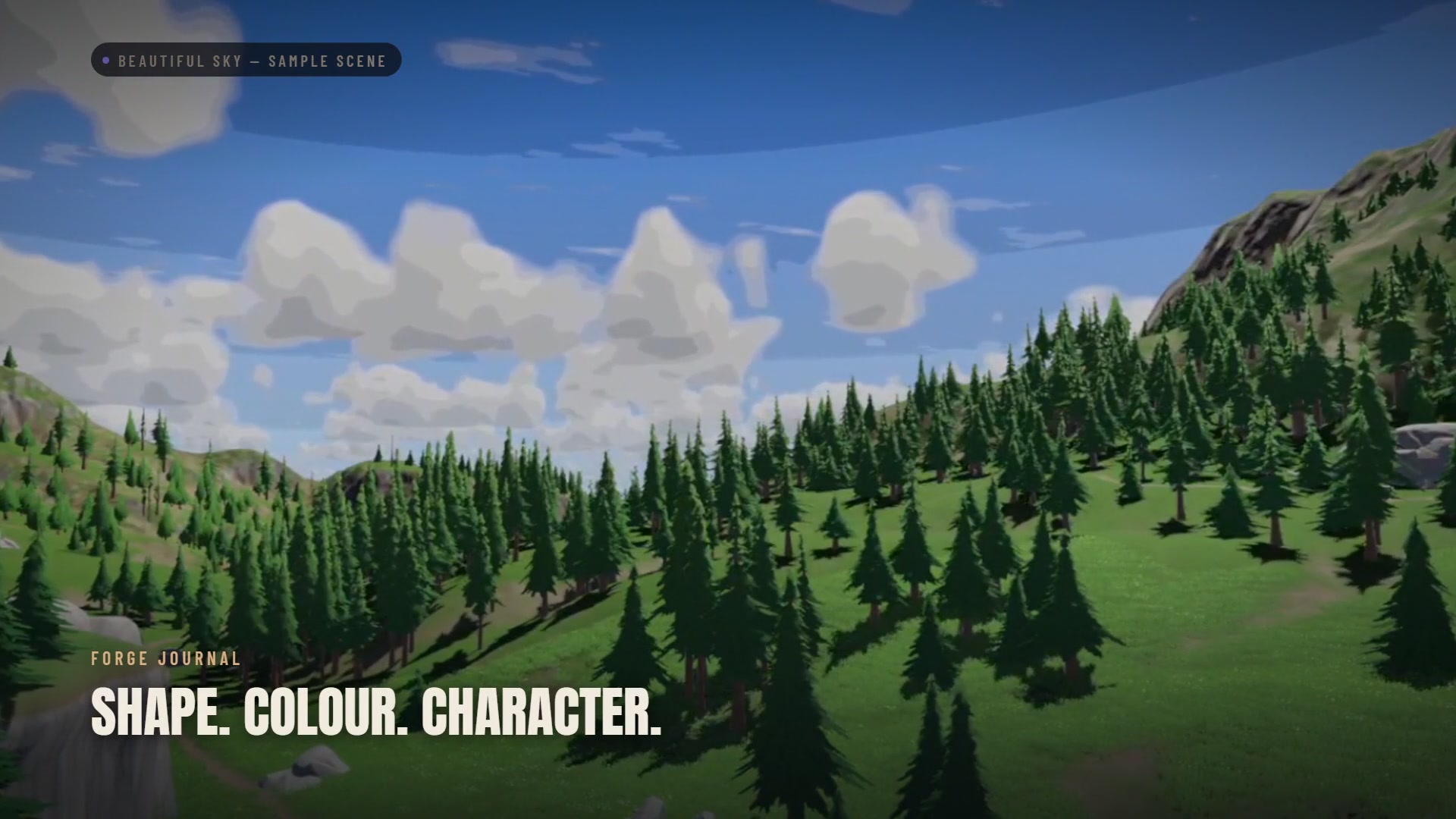
BeautifulSky sample scene: a clear view of the landscape and the character of its clouds.
The weather also reaches the surfaces. Snow is visible in the air and on the ground. That connection matters: we want the scene to carry its conditions through the whole view, instead of feeling like an effect pasted in front of the camera.
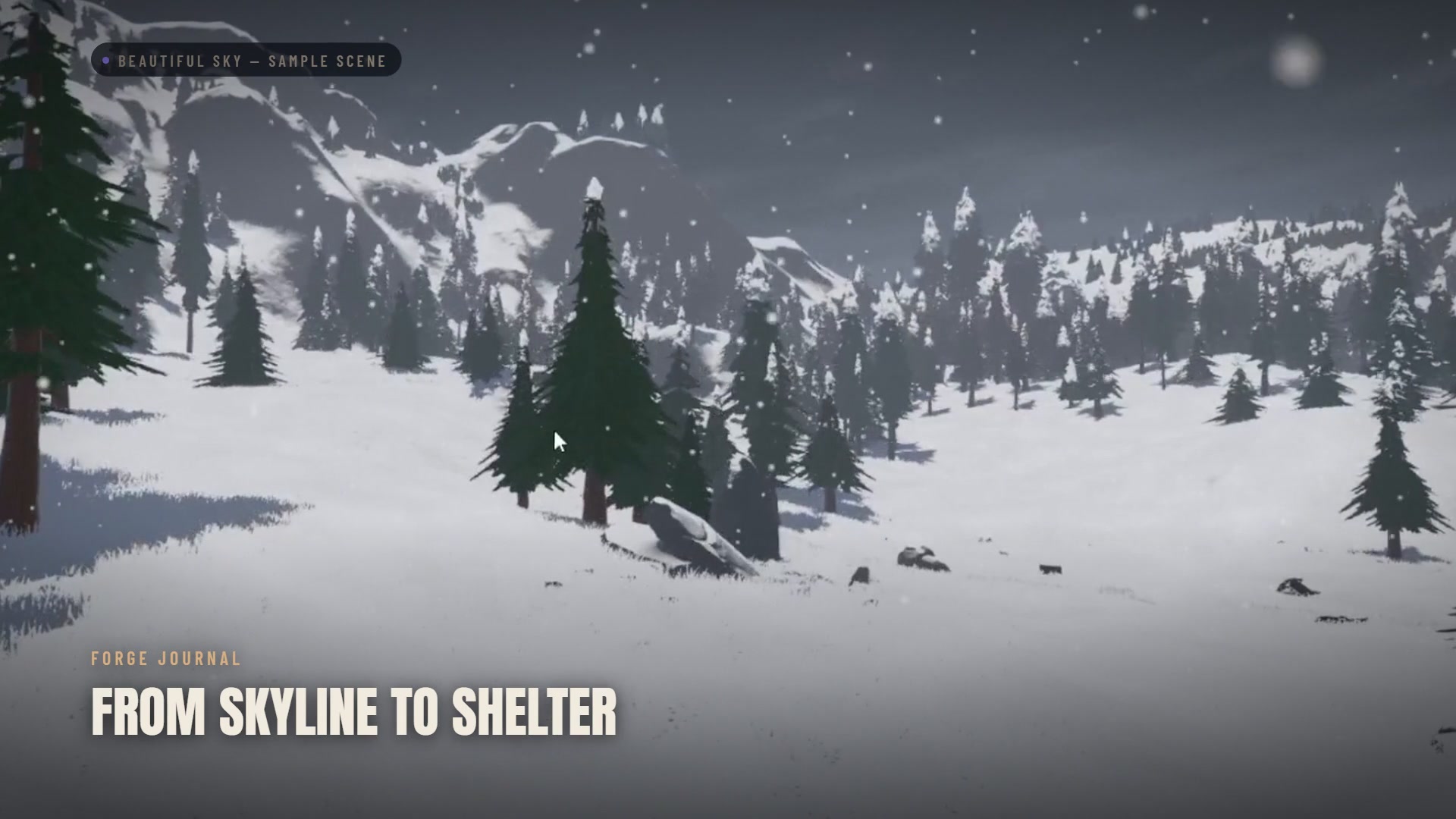
The same test environment under snow. These are development tests of the tool.
There is a much larger extreme in the reel: a tornado against the hills. It is a way to test a different scale of weather. There is also a smaller example that matters just as much. Stand under cover and look out. The opening still frames the rain or snow beyond it, while the sheltered space has a different surface response.
A roof has a fairly straightforward job description. Seeing that boundary work is as useful to us as the dramatic sky above it.
The goal is a world worth looking at twice. BeautifulSky gives us more control over what that second visit can feel like, from the distant skyline to the space beneath a roof.
MCP for Unity: eyes inside the editor
We have been open about AI. We use it throughout our work, and it has changed the scale of what we can attempt.
But an assistant that can suggest a change without seeing its result has a very obvious limit. It can write a script without knowing whether it compiled. It can describe a scene without seeing the scene. It can sound quite pleased about both.
That is not enough for production. We built a connection to the editor that is actually running.
MCP for Unity connects AI assistants to Unity. The film includes editor captures, demonstrations and feedback from other developers.
The important loop is simple: make a change, read the result, correct it. Read the console. Inspect the scene. Check what the last action actually did. That is the difference between an answer in a conversation and useful work inside a game project.
The bedroom demonstration makes the result easy to understand. A request leads to geometry being blocked out, furniture placed, and lights and materials set in the open scene. Another example creates a game-over interface inside the editor. These are tool demonstrations; the neon bedroom is not an unexpected new district of Mithrall.
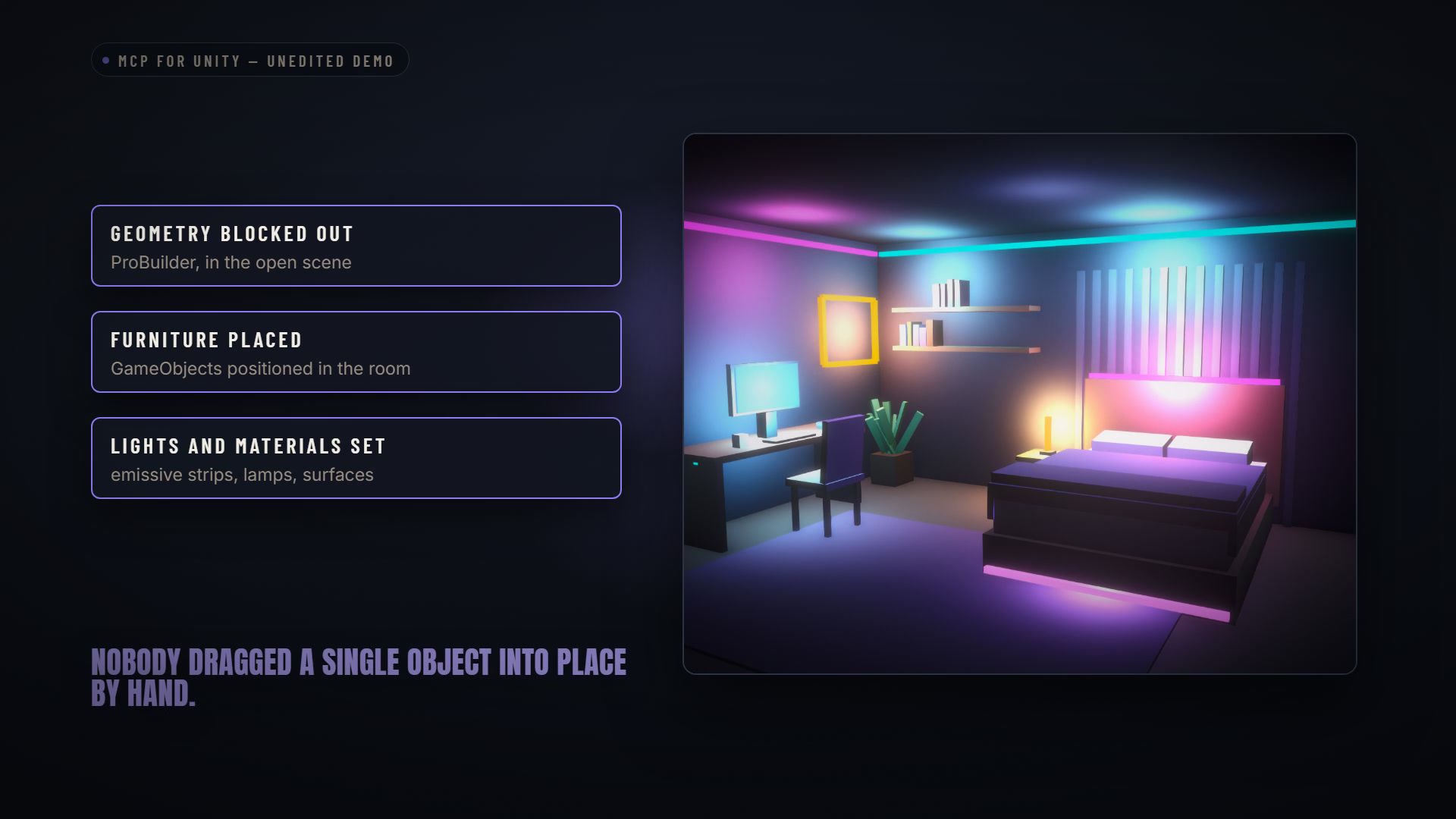
An editor demonstration of geometry, object placement, materials and lighting.
For our team, this gives AI a way to participate in an iteration we can inspect. A person still has to choose the direction, judge the result and decide whether it belongs in the game. Giving the assistant access to evidence makes that process more useful.
The bridge is also public and free. The film shows feedback from people using it in their own projects, along with the repository counts at the time of recording. We built something we needed, and other developers have found uses for it too.
That is an encouraging part of building tools alongside a game. The work solves a real production problem, then gets exercised outside our own habits and examples.
Our position remains the one we published in May. We are not handing the creative direction of Mithrall to a prompt box. We are giving an experienced team better ways to do the work, check it and push it further.
Changeling: the cost of a crowd
A town starts to feel alive when other people arrive. Then the frame rate drops, and the first thing you notice is how much harder it has become to move through it.
That is the problem behind The Cost of a Crowd, our Changeling film. Its opening fills a square with an illustrative crowd. The player counts and falling frame-rate display explain a situation; they are not measurements from a Mithrall playtest.
Changeling combines equipped character pieces and their textures. The customization demonstration uses sample models, not Mithrall's characters.
A character may arrive on your screen as a collection of separate pieces: a body, hair, boots, armour. Each mesh supplies geometry, and each material tells the engine how to draw it. Keep those pieces separate across a crowd and the engine has more objects to deal with, every frame. That work is already happening before anyone swings an axe.
Changeling starts with how we put the character together. It merges the equipped pieces into one animated mesh, then packs their textures into atlases so the demonstrated character can use one material. An atlas gathers separate texture sheets into a shared image. The outfit can retain its different parts while the renderer handles a combined result.
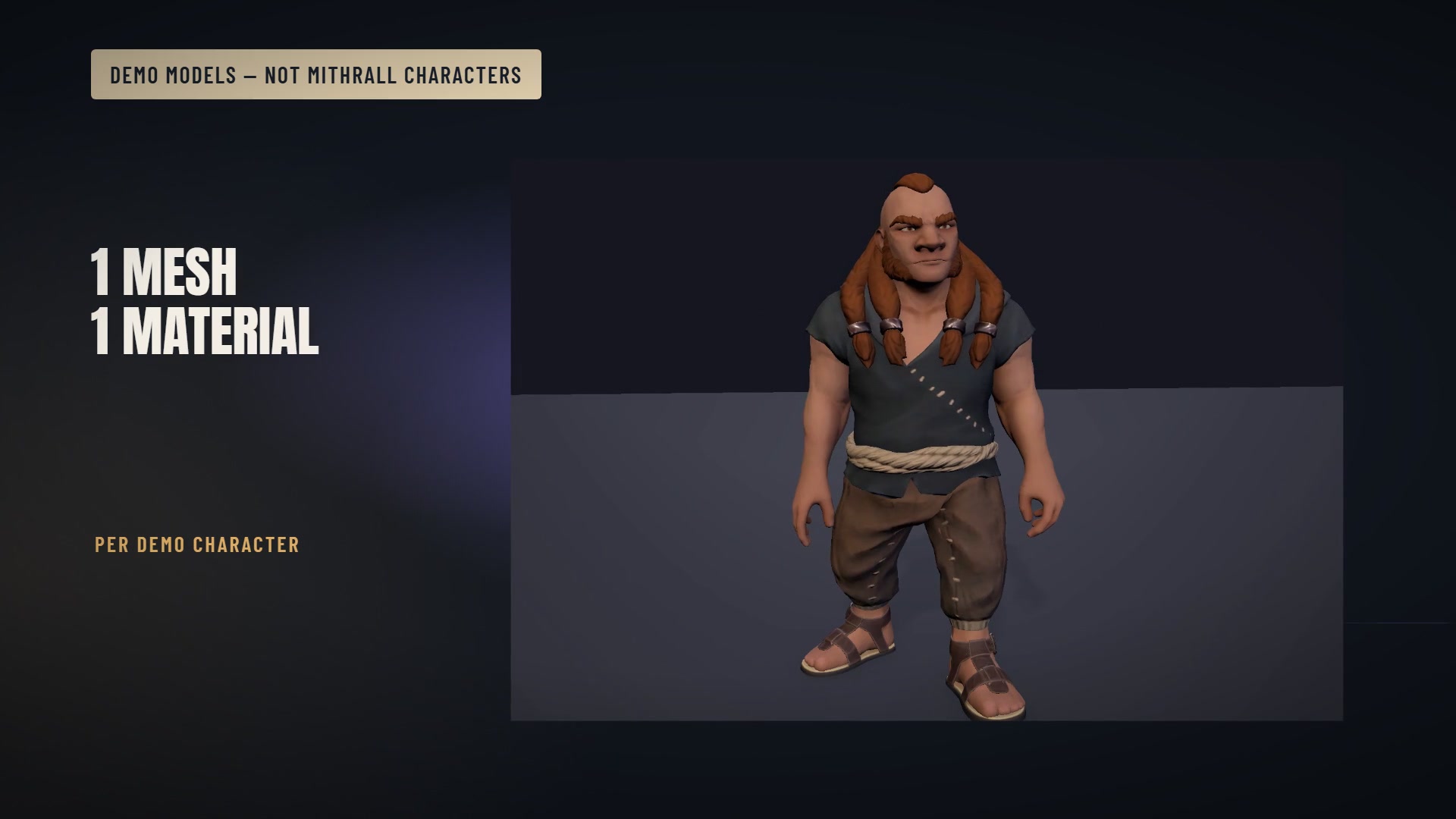
The appearance changes in the demonstration, while the result remains one mesh and one material per character.
Watch the demonstration move through different pieces and skin appearances. That is the part we are excited about: variety is something we can build into the system from the beginning. A useful performance decision should leave room for characters people want to make their own, including the occasional outfit their friends will never let them forget.
Combining objects addresses one part of the cost. Geometry, animation and shadows still take time. The film's simplified four-piece diagram explains the structure of the change; it does not establish a frame-rate multiplier or the number of players the finished game will support. Those are questions for measurement in the game itself.
For Mithrall, this connects the technical work to a very ordinary player wish. When you walk into a busy square, we want your attention on the people, their faces and their equipment. Changeling is part of the work that makes that ambition more practical.
Engraver: protecting the time you put into the world
In a survival sandbox, the save is much more than a progress bar.
It is the hole somebody dug. The building above it. The objects that make a place yours. The result of hours spent gathering, planning and working with other people.
A reliable save system protects the reason you did all of that.
Engraver, our save and persistence system. The film includes explanatory diagrams, a reference performance run and an editor capture.
There are two failures in the film that will be familiar to survival players. A save is interrupted while being written, and the useful version is lost. Or saving makes the running game pause at exactly the wrong moment.
Engraver addresses the first through atomic writes. The new data is written to a temporary file before it replaces the previous save. The existing good file remains intact while that work is happening. The replacement happens as a single step.
The second problem is about distributing work so the game can continue rendering while the save is written. The reference run in the film saves 64,025 live objects, with 578.8 milliseconds of write work spread across 61 frames. The worst recorded frame was 58.6 milliseconds; no frame crossed the test's 100-millisecond threshold.
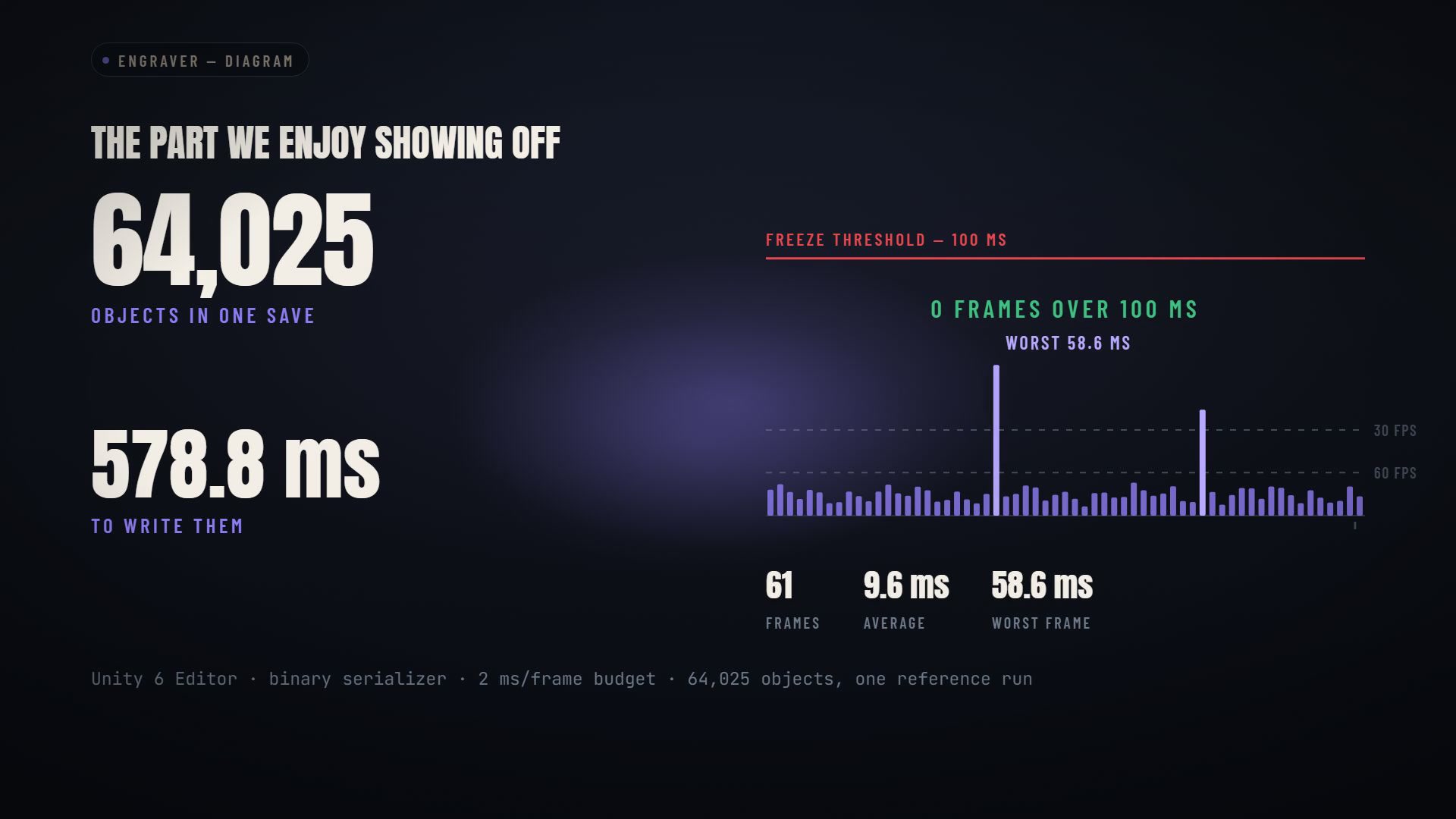
One reference run in the Unity 6 editor with the binary serializer and a 2 ms per-frame budget. These are test results, not a guarantee for every machine or workload.
Those conditions belong with the numbers. What makes the demonstration useful is that we can inspect both the amount of data and the behaviour while the work is happening.
The editor's save monitor gives us another way to see what the system is doing. Persistence should be something we can investigate, instead of a box we hope will behave when the world becomes busy.
This is one of the least glamorous things in the article, and one of the most connected to your time as a player. New content needs a dependable world to live in. The foundation has to remember what people built.
TombStack: when something breaks, the trail should survive
Now imagine a different familiar moment. The game closes in the middle of what you were doing, and you are back at the desktop.
The useful question for us is what happens next. Can we identify the failure? Can we see what led to it? Can we tell whether the last patch made it better?
TombStack is the system we built to collect that evidence.
TombStack's live dashboard, diagrams and the production workflow around it. The reel includes evidence from Kickdom as well as the system's role for Mithrall.
The film shows errors grouped by signature, so repeated occurrences can be investigated together. We can see how many players are affected, when a problem started, and whether a previously resolved issue has returned. That gives us a much clearer starting point than a pile of disconnected reports.
It also covers the work needed to make native crash information readable. Addresses in a crash report need to be connected to the code and the build that produced them. TombStack puts the symbols and that interpretation into the workflow, alongside the reports themselves.
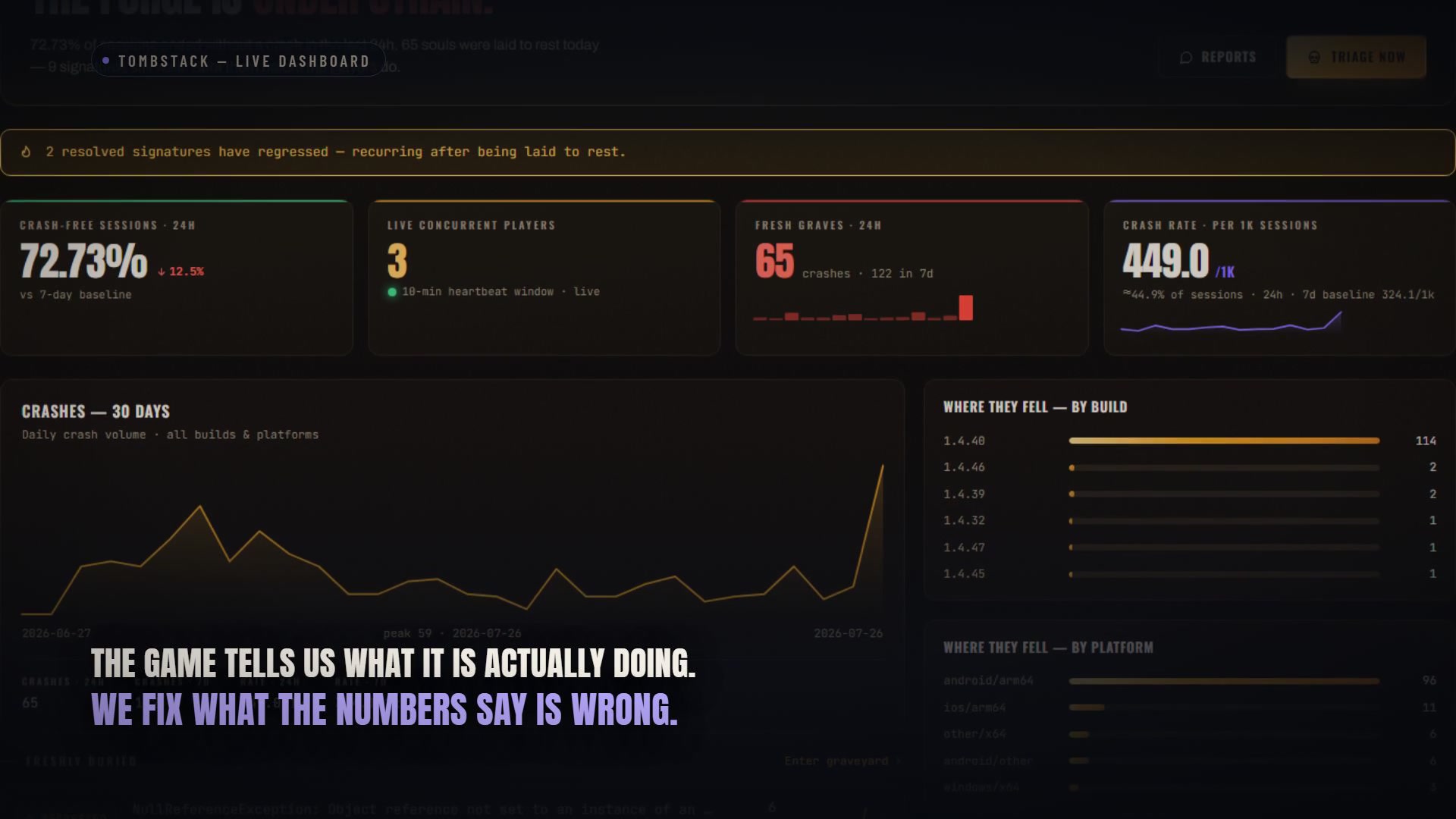
The dashboard connects failures to the builds and sessions around them.
Sessions, concurrency, frame hitches and events add context. A percentage means more when you know what population it describes. A regression means more when you can connect it to a particular build. The point is to act on the game we can observe.
This is already more than a proposed dashboard. The film shows the system working with Kickdom, a title we have shipped, and explains how it supports the Mithrall build workflow. That is useful experience to bring into the larger game.
No tool makes a game incapable of breaking. What it can change is whether a failure leaves us a trail we can follow and whether a fix can be checked against what happened afterward. That is the kind of support machinery we want around a world people will invest in.
The work has to keep connecting
Put these systems beside each other and you can see why rebuilding has involved much more than replacing individual features.
A weapon needs behaviour we can test. A generated region needs a map. That map needs a navigation interface. A city needs a layout strong enough to carry its final art. A world needs light and weather that remain coherent as the conditions change. Player effort needs persistence, and failures need evidence.
AI and our production tools help the team move through those jobs. The connection between them still requires attention.
That is also why Nodary, which we introduced in The Machine Behind Mithrall, belongs in the picture. Decisions do not live in isolation. Changing combat can affect equipment, progression and the way the interface explains them. We need documentation that lets us follow those relationships as the project evolves.
The long-term benefit we are working toward is the ability to keep making content without treating each addition as the first of its kind. A new weapon can use a tested ballistics foundation. A new region can use an established map workflow. A new build can arrive with useful diagnostics already attached.
That gives the team more room for the work players will remember: the character of a place, the feel of a fight, the reason to take one more journey.
It is also how we intend to support Mithrall after release. The ambition extends beyond getting one version over the line. We want the ability to keep building a better game around the people who play it.
International backing for the ambition
There is news on the studio side as well: internationally renowned investors have taken a stake in AnkleBreaker Studio.
Their backing supports the ambition behind what we are building. We are proud to have that support as we continue the work on Mithrall and the studio around it.
We know that an investment announcement is not the thing you log in to play. What matters to the community is where the support leads: the quality of the work, the progress we can put in front of you, and the ability to keep developing the world over time.
That is why this announcement belongs in an article full of work you can actually look at. We want the ambition, the support behind it and the things being built to be part of the same conversation.
We have a very high bar for where Mithrall should go. More people now have a stake in helping the studio pursue it. The responsibility to deliver the game is still ours.
Built for Mithrall, available to other creators
If you make games yourself, some of the demonstrations in this article may have raised another question: could you use these systems in your own project?
For some of them, yes.
We are very proud of the tools we have built while working on Mithrall. The weapons, maps and persistence you have just seen each come with problems that other teams also need to solve. We sell some of these systems separately on the AnkleBreaker Unity Asset Store page, so other developers and game creators can put that work to use.
You can already find Gatling, Cartograph, Map GUI Pro and Engraver there. Those are four of the systems shown in this article; the publisher page has the current catalogue and the details for each package.
These sales also increase Mithrall's production budget. When another developer chooses one of our paid tools, that purchase helps fund the game that pushed us to build it. We like that connection: work created for our world can help someone else make theirs, while supporting the next steps of ours.
We have put a great deal of care into making these tools robust, and we recommend them with pride. If you are building a game and recognise one of the problems in these demonstrations, take a look. We would be excited to see what you create with them.
And if you are here to play, the invitation that matters most is just below.
Help us build the Mithrall we keep looking for
We want something extraordinary out of Mithrall. A world with the identity of its peoples, the scale of its places and enough depth in its systems that learning it feels rewarding. A game we are excited to keep creating for, because we are also the people who want to play it.
We want to make the best survival MMO to come along in a very long time. That is the ambition we get up to work on, and the standard we want to earn with you.
Today's article is a larger look at the pieces taking shape. The game before the rebuild. The cities growing out of provisional layouts. The tools behind the weapons, maps and skies. The systems that protect the world and help us improve it when something goes wrong.
There is still a lot to do. There is also a lot more to show than a list of intentions.
If this is a world you want to help build, register on our playtest platform.
We want to form a core of players who see something of themselves in Mithrall. People who want to spend time understanding a system, try the things we missed, and explain what felt right or wrong. People who are willing to come back after a change and tell us whether it made the experience better.
That kind of involvement means a great deal to a team pouring its passion into a game. A thoughtful report can change a decision. A group of players trying something we did not anticipate can teach us more than another week of testing the way we always test. We want a community that helps us ask better questions as well as find better answers.
The first stages will be internal and closed playtests, before a public opening. We need room to gather feedback, make changes and learn from those changes. Registering tells us you are interested; invitations will depend on the needs and capacity of each test. We will share dates when we are ready to announce them.
The playtest platform is itself still being developed and improved, step by step. It is part of building a better relationship between the work inside the studio and the people who will put that work to the test.
For everyone who has followed us through the earlier builds, the explanations and the rebuild: thank you. We know patience comes from people. We want to repay it with work you can see, questions we can answer and a game worth the effort.
Come to the Discord and tell us which demonstration you want to go deeper on. The ballistics? A ground-level walk through the capitals? The weather tests? We have given you quite a few places to start. You can also wishlist Mithrall on Steam to follow the game there.
We already had a game. We chose to go further because we believe this community deserves what we can build at our best.
Join the playtest platform. Help us shape the next chapter.
Now we keep building.
See you in Mithrall.
François